
Throne - Universal client for modern VPN protocols
Throne is powerful and user-friendly software for working with modern VPN protocols.
Throne is software that supports multiple network protocols and helps users bypass restrictions while improving security and privacy when using the internet.
Key Features
- Support for multiple protocols: Throne supports several key protocols that are commonly used to bypass censorship and ensure privacy. The supported protocols include:
- VMess: a proprietary protocol from V2Ray designed to operate in restricted internet environments.
- VLESS: an improved version of VMess with higher performance and lower latency.
- Shadowsocks: a popular open-source proxy protocol used to bypass internet restrictions and enhance privacy.
- Trojan: a protocol designed to encrypt traffic over TLS, disguising it as regular HTTPS traffic, making it difficult to detect.
- Socks5: a protocol that provides traffic proxying at the socket level. Often used with applications that require a proxy.
-
Ease of use: the application interface is intuitive even for inexperienced users. It offers easy server management, connection configuration, and simple switching between different protocols.
-
Cross-platform: Throne is available on multiple operating systems, including Windows, Linux, and Android, making it a universal solution for users on different platforms.
-
Updates and support: the development team actively maintains and updates the software, adding new features and fixing bugs.
-
Security and encryption: one of Throne’s key aspects is its focus on user security. Traffic encryption and support for modern protocols make it a reliable choice for those who want to protect their data.
-
Configuration flexibility: depending on user needs, Throne allows customization of connection parameters such as routing selection, encryption, and data compression.
Throne Download Links
Below is a list of all available download links for Throne, organized by operating system:
Throne for Windows (64-bit)
This is the version for 64-bit Windows systems. Suitable for most modern computers running Windows 10 or 11.
Throne for Linux (64-bit, archive)
This is an archived to *.zip version for Linux users that must be extracted before use.
Throne for Debian/Ubuntu (64-bit, .deb package)
This is a .deb package for Debian- and Ubuntu-based systems, suitable for convenient installation via a package manager.
Installing and Configuring Throne on Windows
Downloading Throne
First, download the application using the link below:
Download Throne for Windows (64-bit)
Then follow the installation wizard instructions:
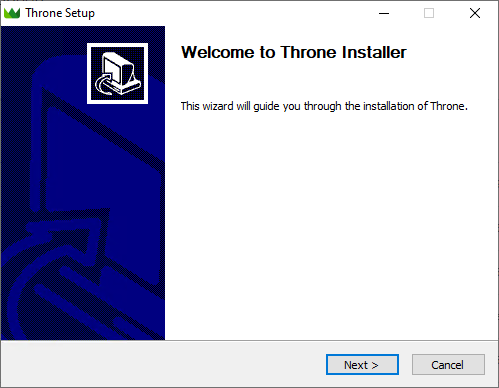
Initial Throne Setup on Windows
Adding a VPN link:
- Copy the VPN connection link.
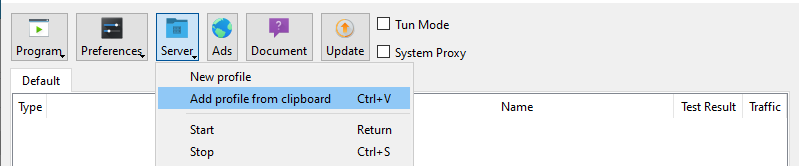
- Paste it into Throne using the Ctrl + V keyboard shortcut or via the menu:
-
- Click the Server button.
-
- Select Add profile from clipboard.
Enabling TUN mode and starting:
- Enable TUN Mode.
- Start the configuration by right-clicking the config and selecting Start.
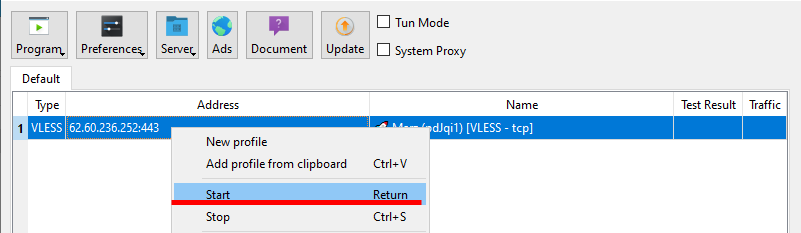
Now Throne is configured and proxies all connections. For convenience, you can enable Throne autostart.
To do this, follow these steps:
Click the "Program" button.
Check the following two options:
- "Start with system".
- "Remember last profile".
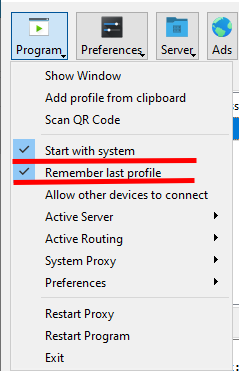
After these steps, Throne will automatically start with the system.
Proxying Individual Processes
To configure proxying for specific processes, follow these steps:
Click the "Routing" button.
Select "Routing settings".
Go to the "Route" tab.
Double-click the "Default" profile.
Set the default outbound to "direct":
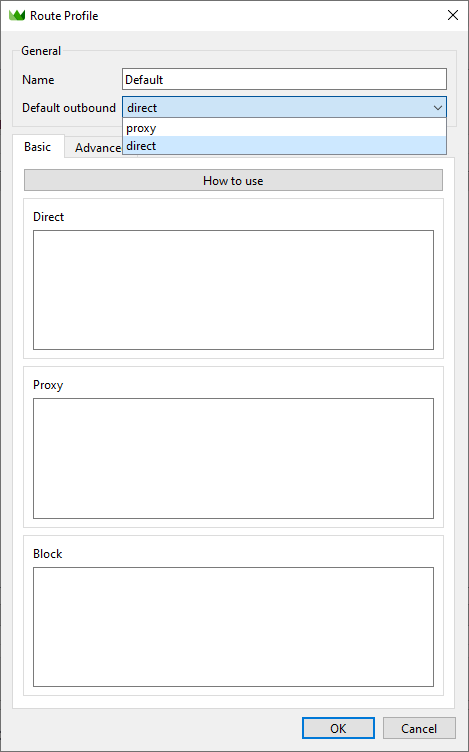
Then select "processName":
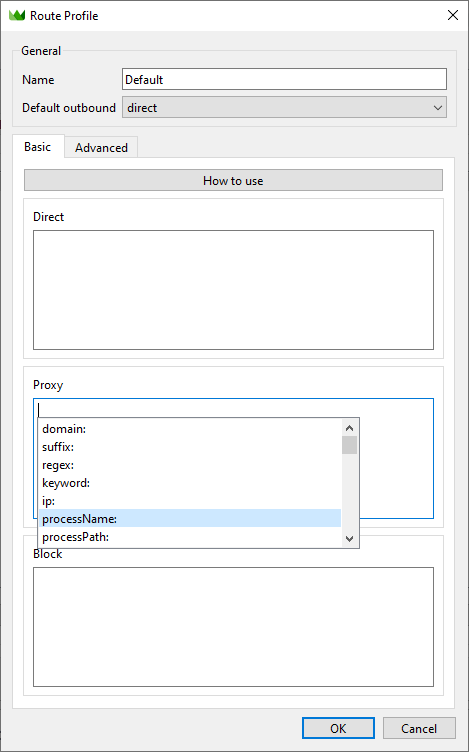
For example, to proxy only Discord, add discord.exe and updater.exe to the list:
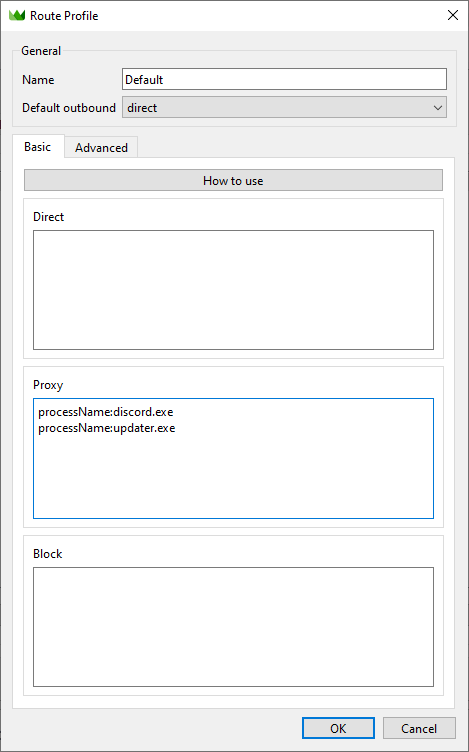
After completing these steps, Throne will proxy only Discord, while all other connections will bypass the VPN. This is especially important for online games.
If you want to proxy browsers, use the following process names:
- Google Chrome:
chrome.exe - Yandex Browser:
browser.exe - Mozilla Firefox:
firefox.exe - Microsoft Edge:
msedge.exe - Opera Browser:
opera.exe - Safari (Windows):
safari.exe - Brave Browser:
brave.exe