
VPN service instructions
The "VPN" service allows you to provide secure and anonymous internet connection, as well as ensures high connection speed – up to 1 Gbps. In this instruction, we will tell you how to quickly and reliably deploy VPN on your computer or mobile device.
Creating and installing a VPN profile in a couple of minutes
Today we provide you with detailed instructions on using our "VPN" service.
Accessing the "VPN" service control panel
Click on the "VPN" service name.
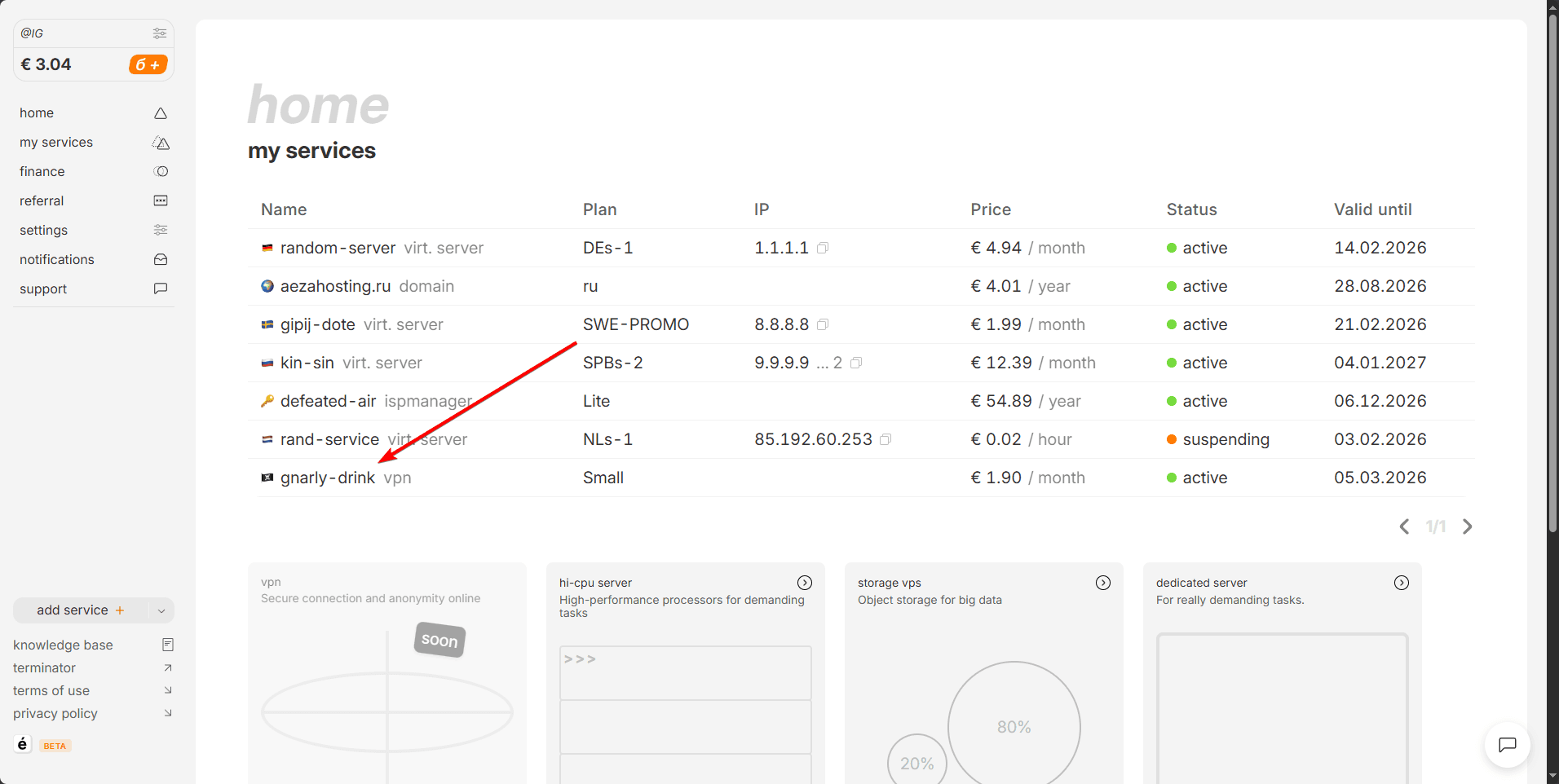
After going to your service page, find the "Profiles" section and go to it.
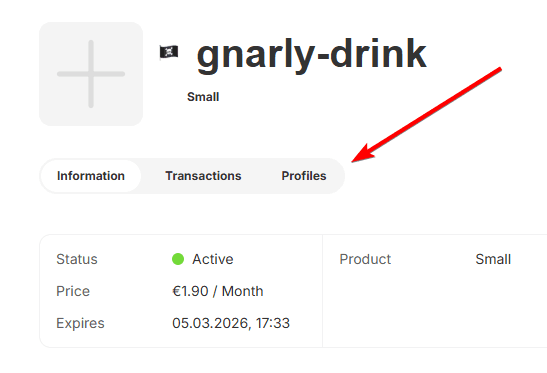
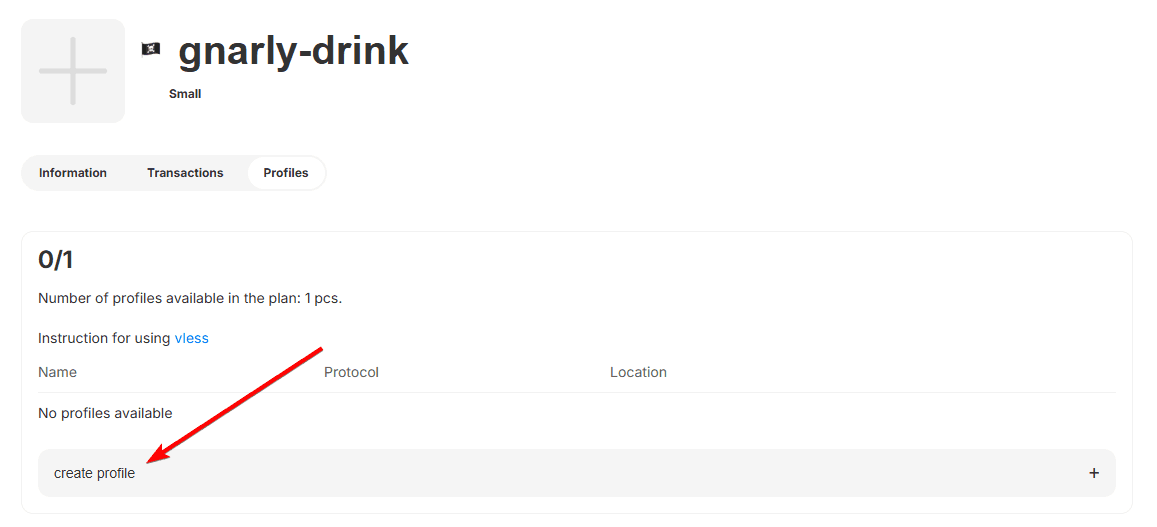
In the "Profiles" section, you will find detailed information about your service, as well as the number of available profiles. For each profile, you can set its name.
Let's move on to the next point of our instruction.
Creating and installing a profile in the "VPN" client
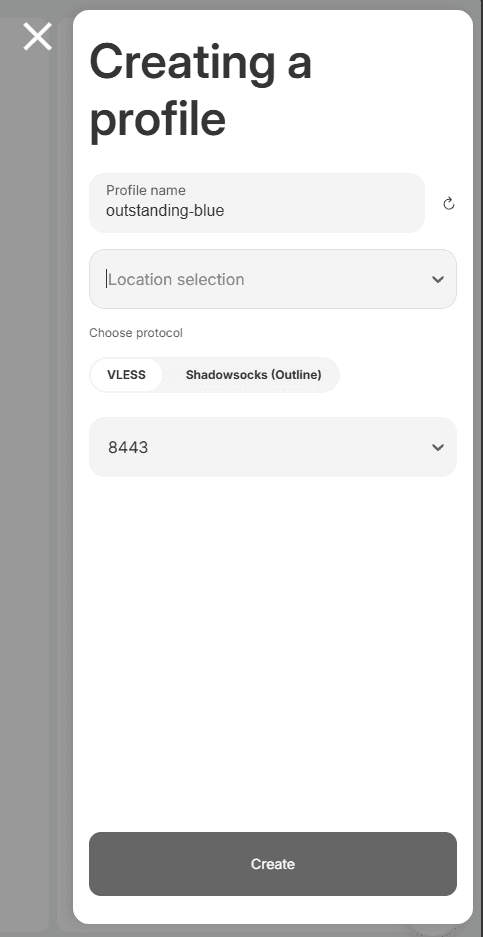
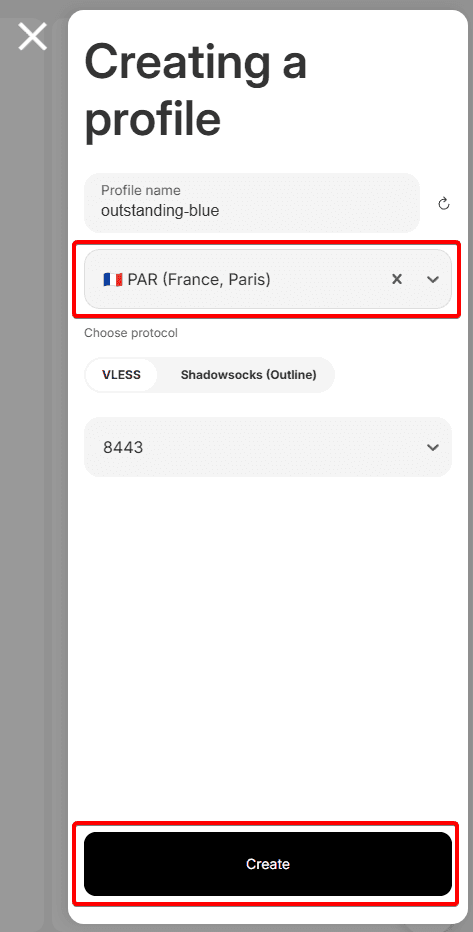
After selecting a profile, you will see a popup window where you can configure your profile on the selected location. Choose one of the one available VPN protocols: VLESS. Next, we will provide more detailed information about each of them.
VLESS
Let's consider creating a VLESS key and installing it on different devices.
For example, let's choose the France location, VLESS protocol, port 8443, then click the create button.
We observe successful key creation.
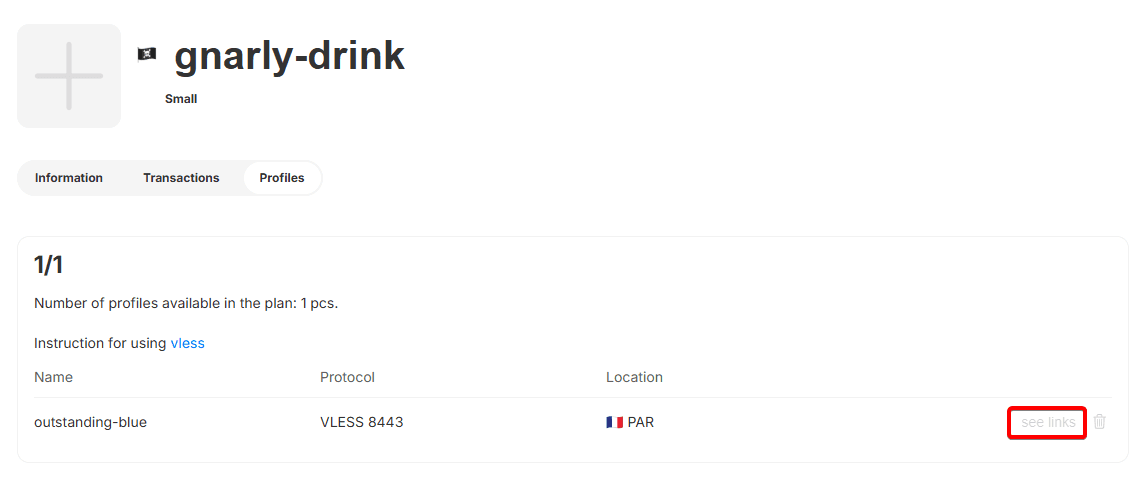
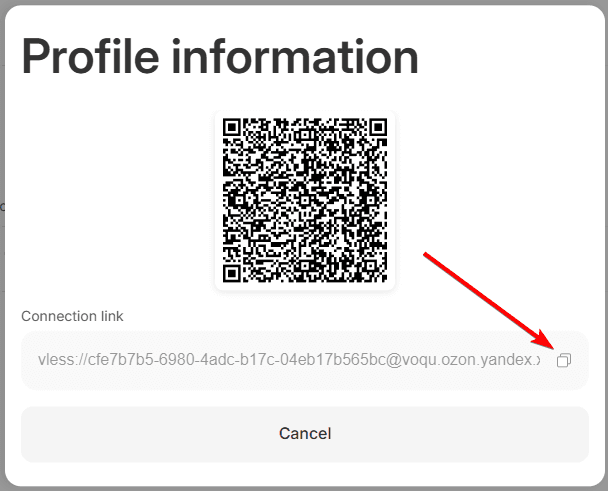
Open the see links and copy the VLESS key, we need it to import the configuration into the connection program.
You can learn about how to connect clients to the service in the next article