
NS-servers management
Sometimes it is necessary to specify third-party NS servers for a domain, say, to transfer a domain from another registrar to Aéza to connect our Web Protection. Below we will tell you how to do this!
What are NS records?
NS (name server) records are entries in the global domain name system directory that allow your browser to understand where it should look for the IP address of the selected domain and make it possible to quickly and correctly display the required page.
By default, when purchasing domains from Aéza, we automatically assign the following two NS records for you:
- ns1.aeza-dns.com (primary)
- ns2.aeza-dns.com (secondary)
The actual number of records for other DNS hosting providers may vary and can include from 1 to 4 NS addresses that must be correctly specified to link the domain. Each of them contains the same data about the specified server IP address.
You can also choose not to specify NS records; however, in this case, the domain will be inactive and browsers will not be able to determine your server’s IP address.
How to set NS records for a domain?
In practice, this procedure is the same for any domain name registrar.
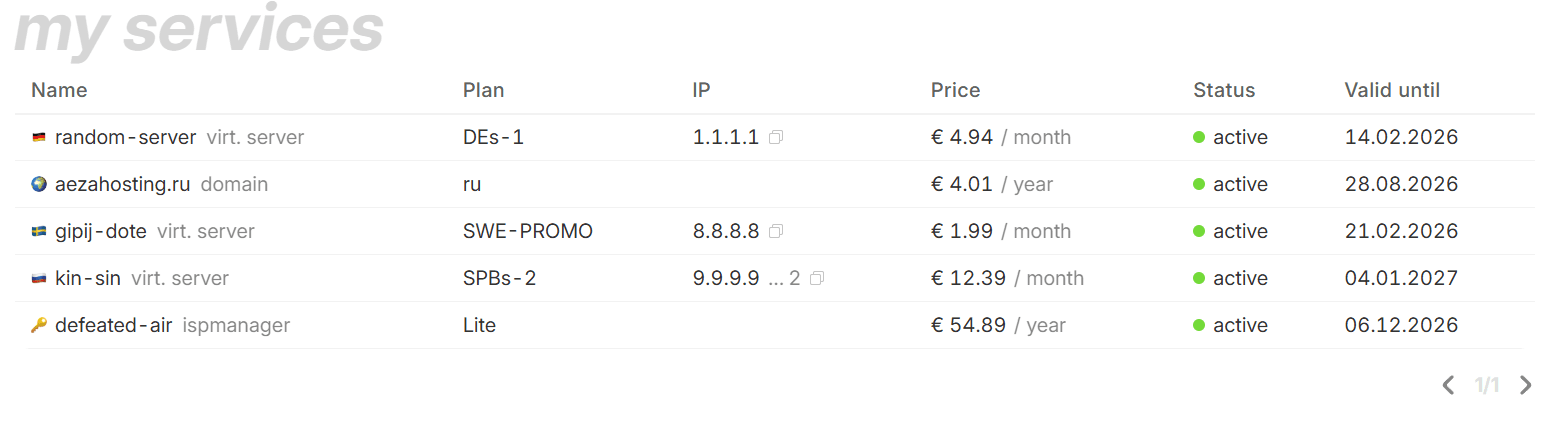
Go to the "мy services" section:
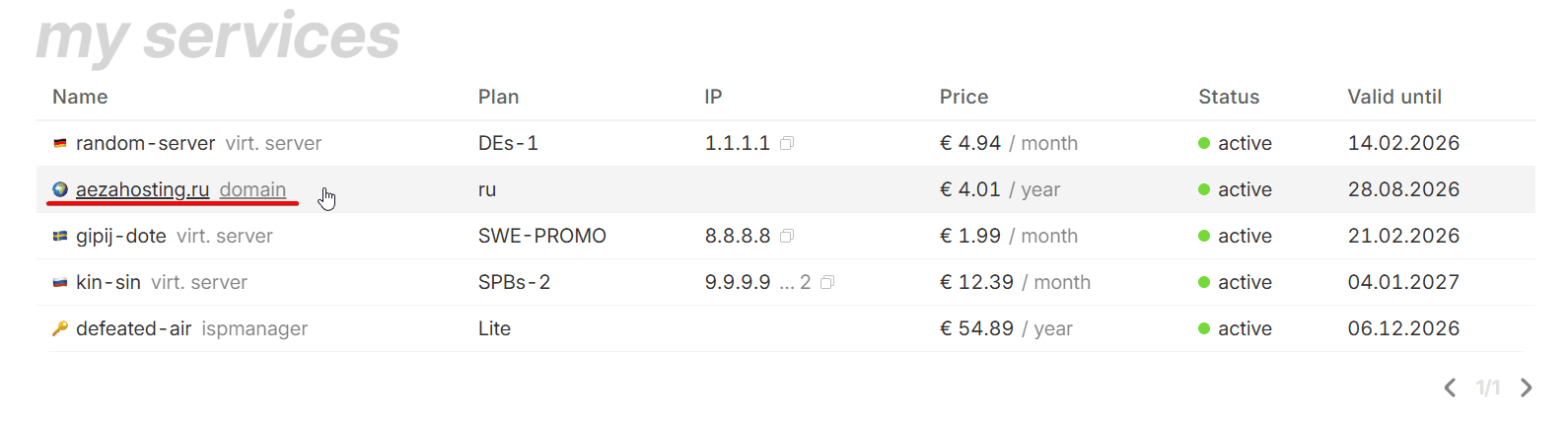
Click on the domain name to open its page:
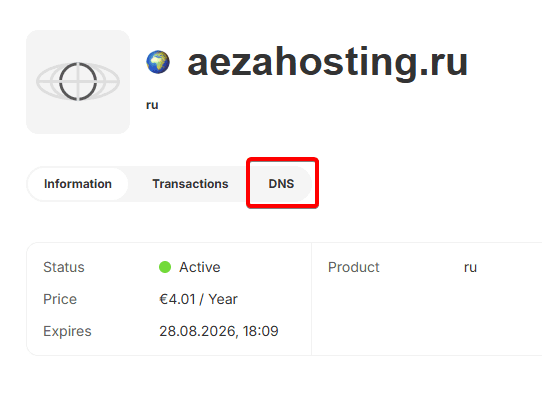
Next, go to the "DNS" section:
Enable the switch to Use you own NS servers:
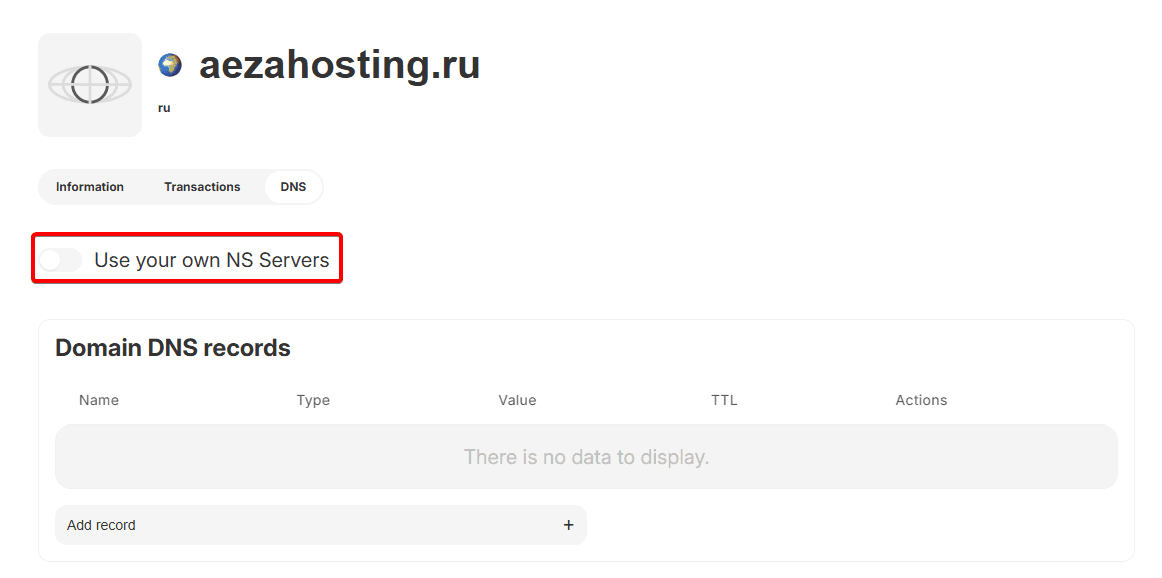
Enter from 1 to 4 addresses of the NS servers of your chosen DNS hosting provider:
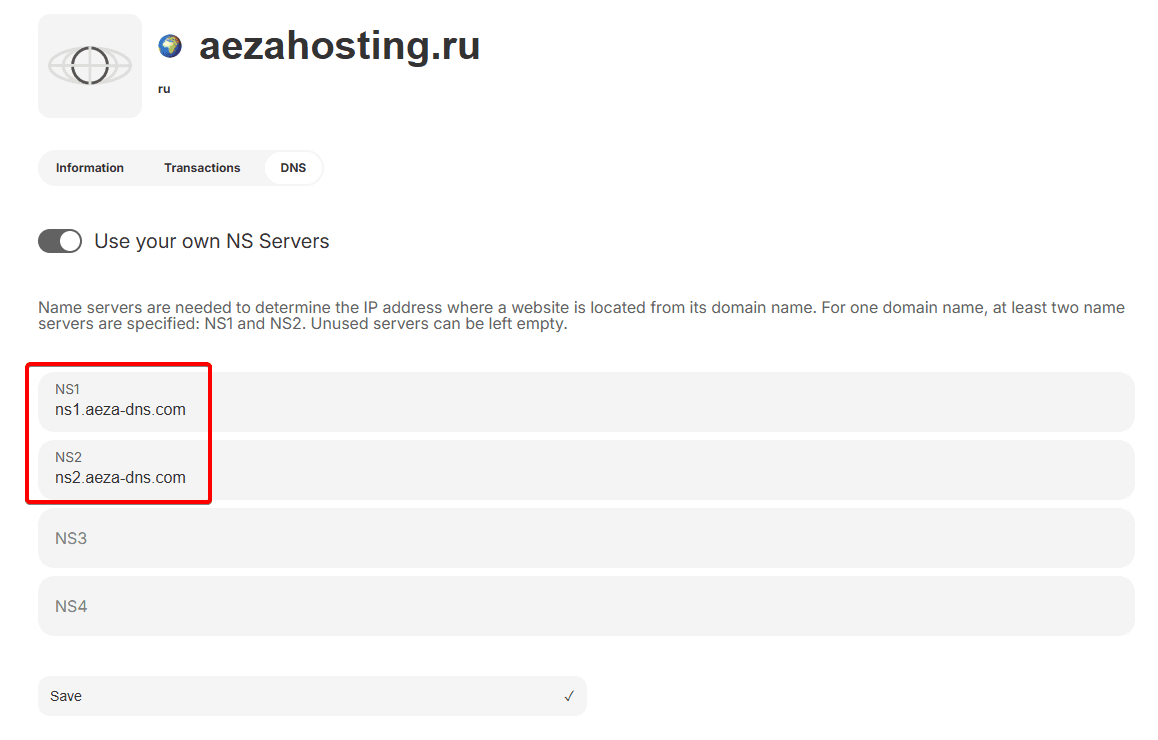
After confirming the changes by clicking the "Save" button, the changes take effect immediately. However, major DNS databases such as Google, Facebook, OpenDNS, Yandex.DNS, and dozens of other directory services will notice your changes only after several hours.
This usually takes from 2 to 48 hours (in rare cases up to 72 hours).
After changing the NS records, you will be able to use this domain for your own website, either on Aéza hosting and services or outside of Aéza hosting infrastructure.