
Connecting domain to server
In this article we will look at ways to connect any domain to your purchased Aéza server.
Connecting a domain purchased from Aéza
Go to the "My services" section:
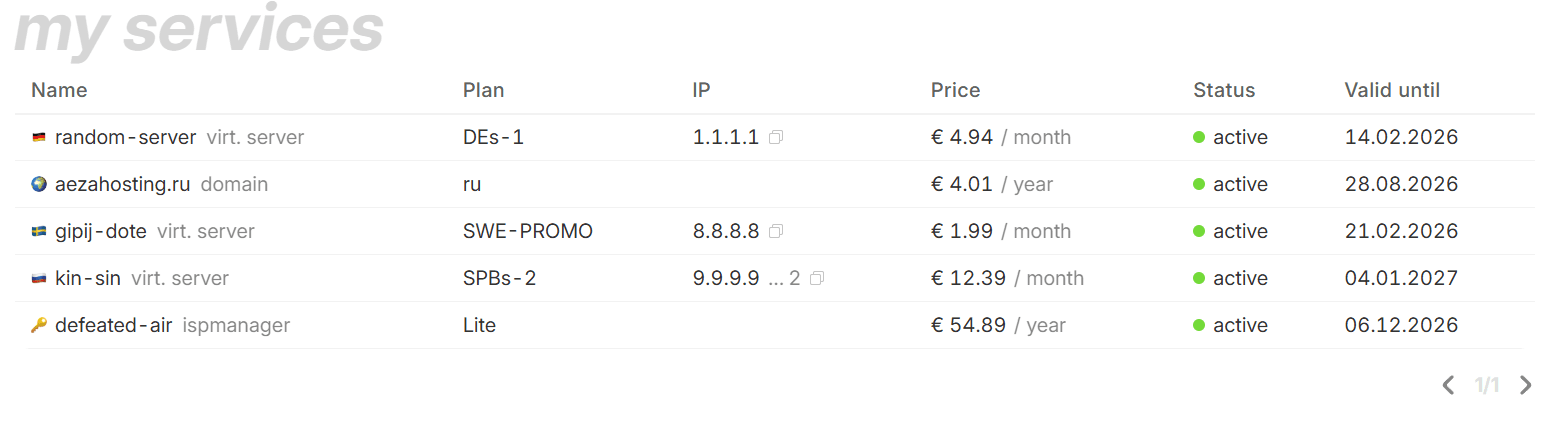
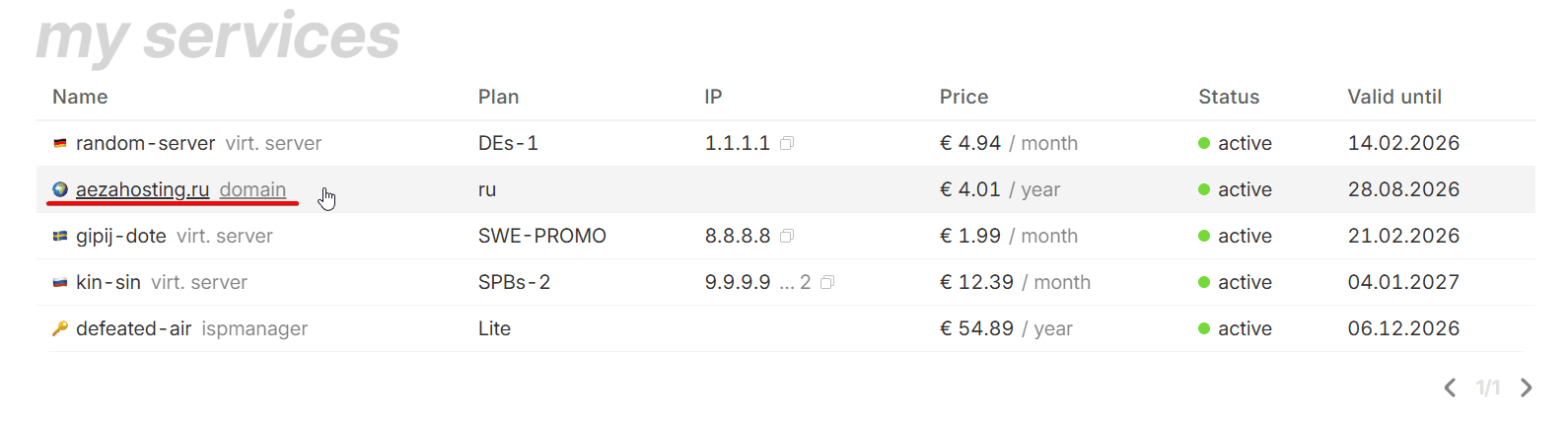
Click on the domain name to open its page:
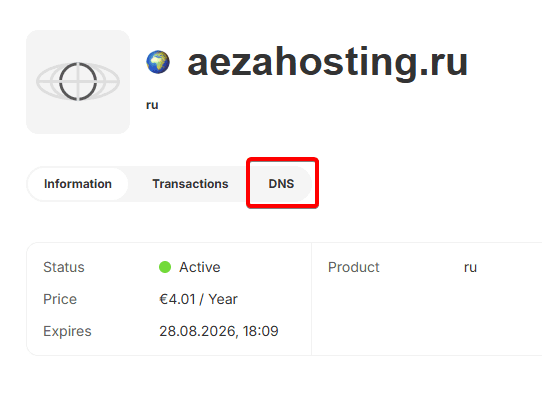
Next, go to the "DNS" section:
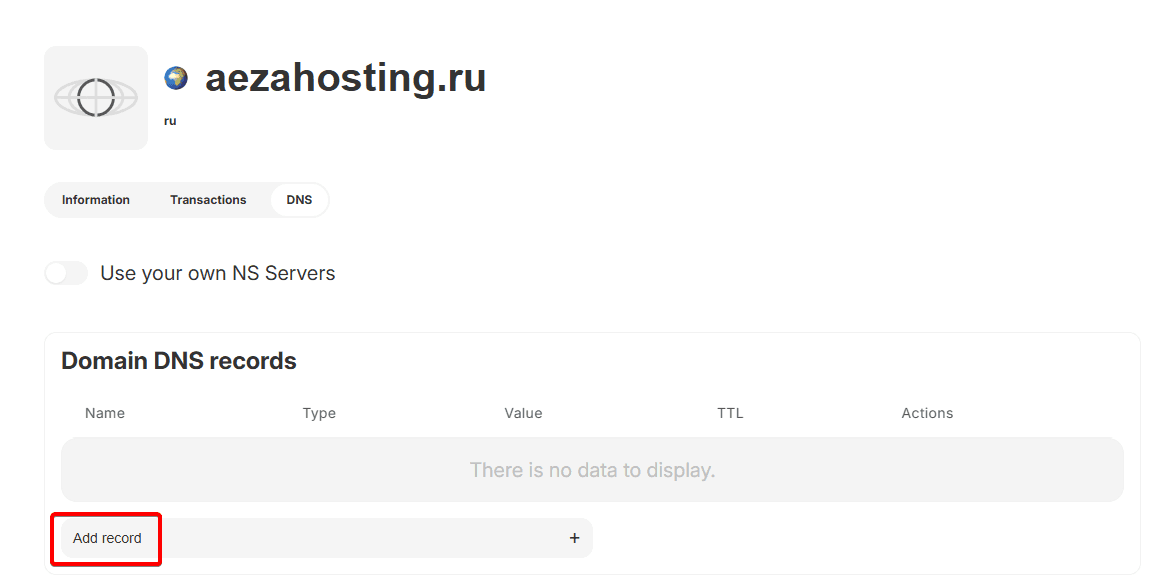
Click the button to create record:
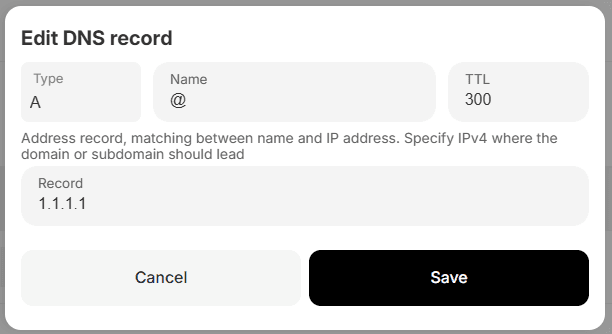
Enter your server address in the "A" record of your domain:
Information
The "@" symbol is used to represent your main domain without subdomains, that is:
- @ =
aezashop.ru - www =
www.aezashop.ru - mail =
mail.aezashop.ru— and so on.
To save the changes, click the save button:
How to check domain availability
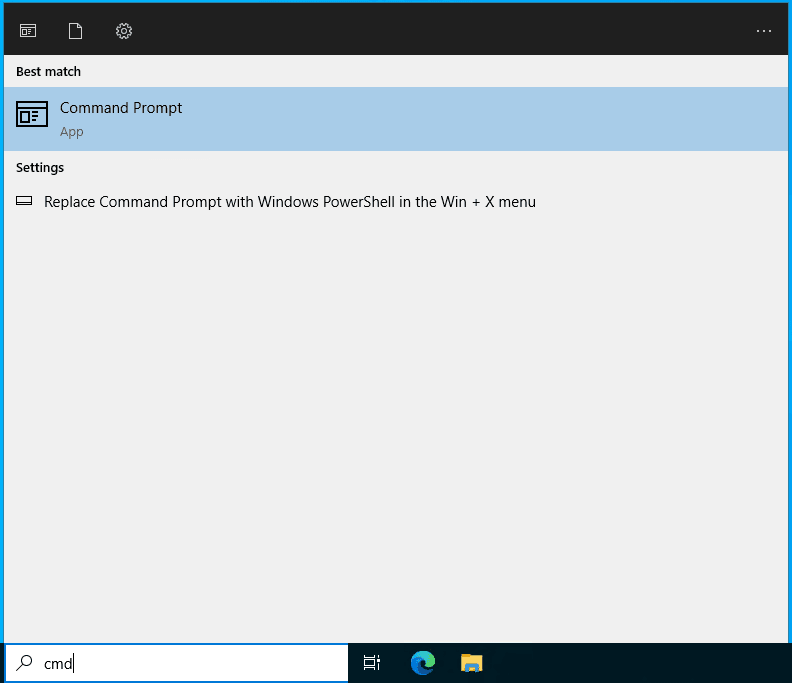
To check the availability of your domain address, you can open the Windows Command Prompt by typing "cmd" in the program search:
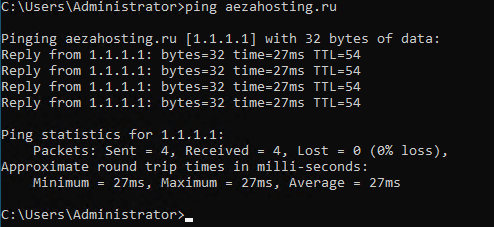
Next, enter the "ping" command and your website address, then press Enter:

If the domain connection is successful, you will see packet exchange with the IP address that you previously specified in the domain "A" record:
Now you have your own personal domain address pointing to your website or service!
Domain registration
In this article we will tell you how to register your personal domain in any domain zone: .en, .su, .com, .net, .org, .pro and many others.
How to choose a website domain?
Choosing a domain name is an important step when creating a website. The domain should be simple and memorable, reflecting the essence of your brand.