Instructions for replenishing the balance through "CryptoBot"
Replenishing the balance using the Telegram bot @send
CryptoBot - is a Telegram bot that allows you to make transactions with cryptocurrency without leaving the messenger. This method of depositing funds is one of the most convenient at the moment.
Before using this method of replenishment, it is necessary to replenish the internal wallet of this bot using Exchange or P2P (recommended), or make a payment using an external crypto wallet by transferring the cryptocurrency to the address specified in the bot. In the screenshot below, you can see that the bot is waiting for replenishment from USDT on the TON network.
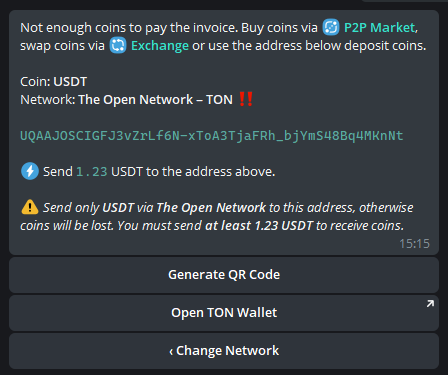
Attention! For any transactions with cryptocurrencies, always be careful when choosing a transfer network. If the payment is made on another network, it will not reach the recipient. If you have chosen the TRON network (TRC20), this means that you must make the transfer on the TRC20 network. The currency sent from the TON network will not reach the recipient.
Replenishment of the balance
To top up your balance, select the ["Finance"] section (https://my.aeza.net/finance), click "Top up", then select the deposit method CryptoBot USDT, and enter the required deposit amount:
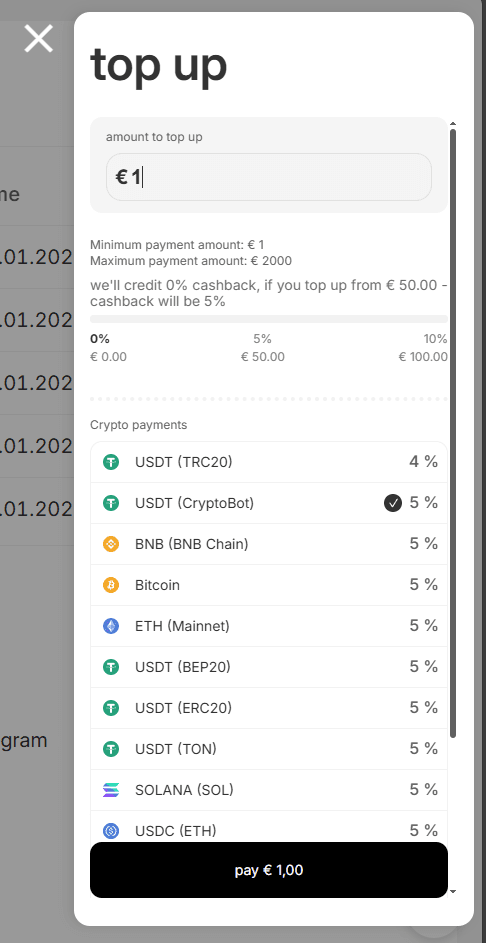
After you click "Pay", your browser will automatically open a conversation with CryptoBot in Telegram.:
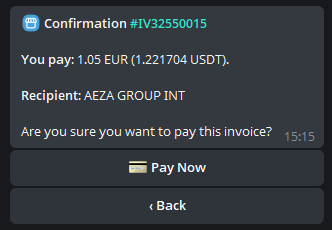
To make a payment, you must have a currency (USDT) on your CryptoBot balance, or have the specified currency on an external wallet. If this is the case, then click Pay, after which the bot will ask which network we have USDT on.:
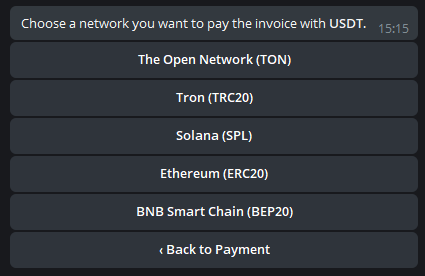
Select the required payment network. In our case, let's choose TON:
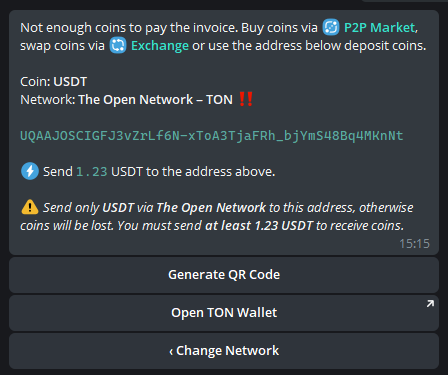
We purchase the currency using the methods specified in the bot, or we transfer the cryptocurrency to the specified address from our other wallet, without forgetting about the network that we have chosen. A few minutes later, we receive a notification about a successful replenishment of the balance.:
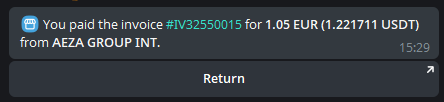
Ready! We have replenished our balance through CryptoBot USDT.